Microsoft EdgeのInternet Explorerモード(IEモード)を終了したい
Internet Explorer モード(IE モード)を終了する手順
Internet Explorer モード(IE モード)での表示を終了する場合は、画面上部の「Microsoft Edge で開く」をクリックします。

もしくは、
右上のメニュー「・・・」>「Internet Explorer モードを終了する」を選択します。
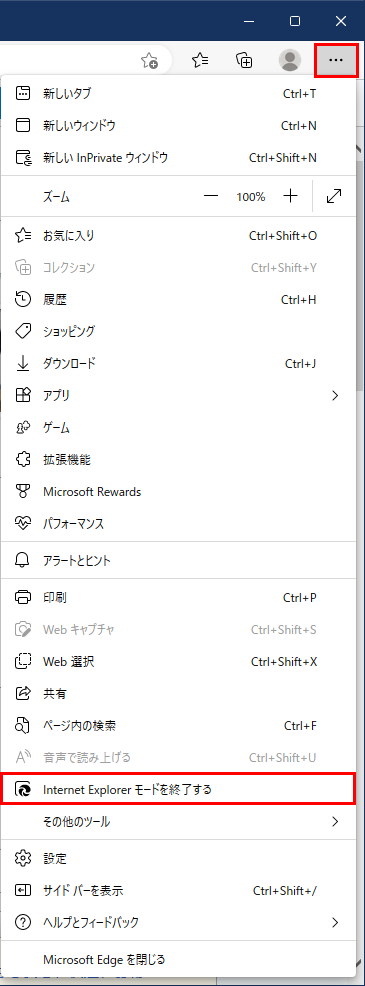
Internet Explorerモード(IEモード)での表示が即終了し、通常の Microsoft Edge でページが表示されます。